Sculpt People
CrazyLabs LTDSimulation
4.44.96K Reviews
- Version
- 3.3.3.0
- Installs
- 100.00M
- Age Rating
- Everyone
Screenshots
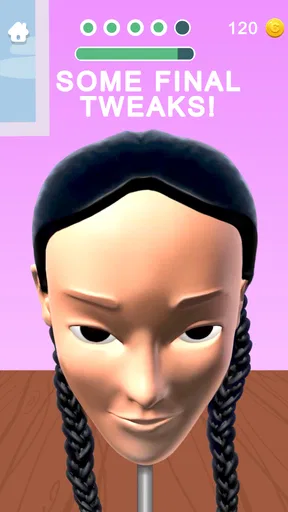
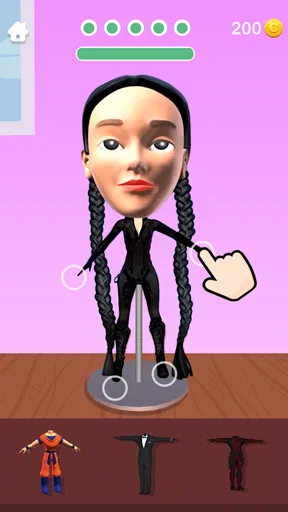

Play Hedgewhim


Our Review of Sculpt People
 Analysis by Appyee
I tend to enjoy creative games most when I can understand the basic interaction quickly, then decide for myself whether to keep experimenting. Sculpt People is built around that kind of hands-on play: you shape a face or figure from clay, adjust it with tools, and add color. It is a casual simulation rather than a full digital art studio, and that distinction matters. I find it best approached as a playful place to try ideas, not as a precise modeling program or a substitute for learning traditional sculpting.
Where the first session can snag
The basic premise is easy to grasp, but getting a result that looks the way you imagined is another matter. Small changes to a face can alter its expression, and it is tempting to keep correcting details until the overall shape starts to drift. I get better results by stepping back regularly and checking the whole sculpture instead of focusing on one feature for too long. That simple habit makes the process feel less fiddly and helps me decide when a playful likeness is good enough.
The first few minutes are also a useful time to learn how the available shaping tools behave. A tool that removes or pushes clay can be helpful for defining a feature, but repeated adjustments may make the surface look less intentional. I would test a movement on a low-stakes part of the sculpture before applying it near a detail I like. This is not a promise of perfect control; it is just a practical way to avoid turning a quick experiment into a long repair job.
Setup checks before you start shaping
The game is free to download, and the listed age rating is Everyone. It is made by CrazyLabs LTD and belongs to the simulation genre. Its current version is 3.3.3.0, and it requires Android 7.0 or later. I would check that the device meets that minimum before troubleshooting a failed installation, then make sure there is enough free storage for the download and that the connection is stable. Those are ordinary first checks, but they can save time when an app will not install or open as expected.
It has an average rating of 4.4 from around 547,000 ratings and has been installed over 100 million times. Those figures suggest that plenty of people have tried it, but they do not guarantee that every device will feel equally smooth. The game may be free to begin with, while in-app purchases are available at $1.99 to $4.99 per item. I would treat those as optional spending, not as a requirement for deciding whether the core sculpting loop suits me.
Getting Hands-On with Sculpting
So, I downloaded Sculpt People on a lazy Sunday afternoon, thinking I'd give it a quick spin. Little did I know, I was about to embark on a sculpting spree that lasted hours. The app's interface is intuitive, making it easy for anyone to dive in, whether you're a seasoned artist or someone who's never held a piece of clay in their life.
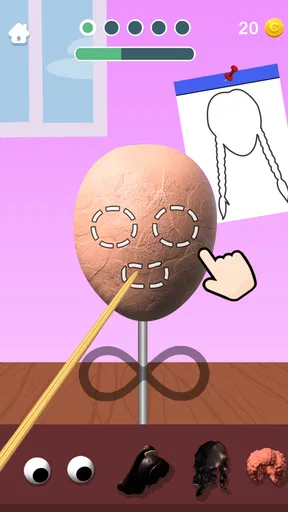
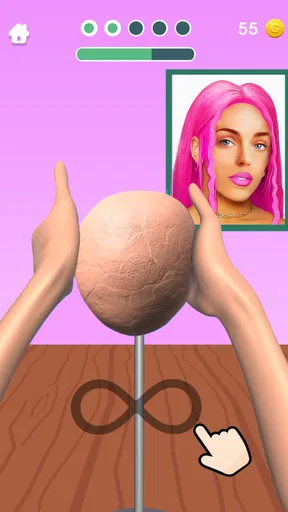
The app kicks off with a brief tutorial, guiding you through the basics. You start with a simple block of clay, and using your fingers, you can pinch, pull, and smooth it out to create various shapes. It’s kind of like playing with digital Play-Doh. The controls are super responsive, which makes the whole experience feel incredibly realistic.
Tools and Features
One of the standout features is the range of tools at your disposal. From chisels and knives to brushes and polishers, you have everything you need to bring your digital sculptures to life. Each tool serves a different purpose, and learning how to use them effectively is part of the fun.
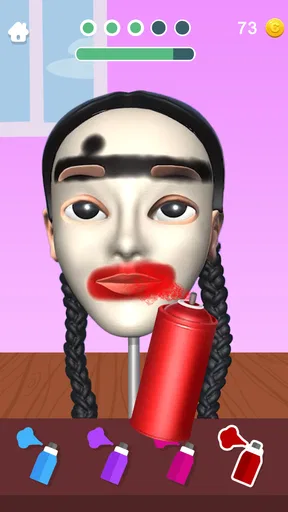
There's also a color palette that lets you paint your sculptures once you’re done shaping them. You can choose from a variety of colors and textures to give your creation that final touch. I particularly enjoyed experimenting with different textures; it gave my sculptures a unique flair.
Making a small session count
A good everyday use for this game is a short creative break: I can open it while waiting for a meal or winding down after work, make one exaggerated face, and stop before the session turns into a hunt for tiny imperfections. That keeps the task light and gives me a clear endpoint. If I have more time, I can use the same sculpture to explore how changing the silhouette affects the expression before spending effort on surface details.
For a beginner, I would work from broad shapes toward smaller features. Establish the general head or figure first, then refine the areas that carry the most character, such as the outline and facial proportions. Color and texture are more satisfying once the form already reads clearly. This order is a useful trade-off: it delays decoration, but reduces the chance of polishing a shape that I later decide to reshape.
Challenge Yourself
If you’re looking for a bit of a challenge, the app offers a series of quests and challenges. These are tasks where you need to sculpt specific objects or faces based on given criteria. Completing these challenges earns you rewards like new tools or colors, which keeps the excitement going.
One challenge I found particularly amusing was sculpting a celebrity face. It was a hilarious endeavor trying to get the likeness just right, but immensely satisfying once I nailed it. The app’s community feature allows you to share your creations and see what others have made, which is great for finding inspiration and getting feedback.
What it is best compared with
Compared with a general casual game, this one gives me a more deliberate creative task: I am making and adjusting a shape rather than simply reacting to a stream of prompts. Compared with a professional 3D modeling app, though, it is much more approachable and less suited to detailed, controlled work. That makes it a better fit for playful face-making than for anyone who needs export-ready models, precise measurements, or a serious sculpting workflow.
The challenge format and freeform shaping serve different moods. When I want direction, a task gives me a goal and a reason to try a tool I might otherwise ignore. When I want to experiment, shaping without a specific target is less pressuring. I would switch between those approaches rather than expect every session to feel equally open-ended. If a player mainly wants structured levels, a conventional puzzle or arcade game may be a better match; if they want a true art application, a dedicated modeling tool is the more sensible alternative.
Recovering a session that goes off track
When a sculpture stops looking right, I find it more useful to pause than to keep applying tools in quick succession. I would return attention to the overall outline, make one adjustment at a time, and inspect the result before continuing. If a tool movement seems unexpectedly unresponsive, I would first try a deliberate, slower gesture and make sure I am working on the intended area. That approach helps separate a control mistake from a genuine performance problem.
If the game becomes sluggish, especially while a project has grown more detailed, I would avoid adding more tiny adjustments until it feels responsive again. Closing other demanding apps, restarting the game, and checking for an available update are sensible general steps. If the problem persists, restarting the device is another basic check. I would not assume that a lost or awkward result can always be recovered, so it is worth keeping a mental stopping point when a sculpture is already in a state I like.
A Few Bumps in the Clay
Like any app, there are quirks. Occasionally, I found the game would lag a little when my sculpture became too complex. It wasn’t a deal-breaker, but something to keep in mind if you’re working on a detailed project.
The game is free to download, but it does offer in-app purchases. Some tools and features are locked behind a paywall, which can be a bit of a bummer if you’re not looking to spend any money. However, there’s still plenty to explore and enjoy without shelling out extra cash.
When the app may not be the cause
Not every frustrating moment points to a flaw in the game. A device that is short on storage can interfere with installation, while a weak connection can interrupt a download or update. If the game opens but feels slow, the device may be handling several demanding tasks at once. I would check those basics before deciding that a shaping control or the game itself is broken.
There is also a difference between a result that looks wrong and an input that failed. Sculpting is incremental, so a few small gestures may produce an outcome that is less obvious than expected. I recommend making a single change and checking it from the current view before repeating it. If the controls still behave oddly after a restart and basic device checks, taking a break and trying again later is more sensible than spending money in the hope that a purchase will fix a technical issue.
Who should pick it up
I would recommend it to people who like low-pressure creative play, enjoy making funny faces, or want a tactile-feeling activity that does not involve real clay or cleanup. It also works well for someone who is curious about sculpting but wants an easy first taste rather than a course in 3D design. The broad audience suggested by its Everyone rating is appropriate for its accessible premise, though younger players may still need an adult’s guidance around optional purchases.
I would skip it if I wanted precise professional modeling, a guaranteed smooth experience on an older or heavily burdened device, or a game with constant action and clear win conditions. I would also be cautious if optional purchases are a concern in the household: the game costs nothing to download, but individual in-app items are priced from $1.99 to $4.99. The useful question is whether the free experience is enjoyable before spending anything, not whether buying something will transform it into a different kind of app.
Final Thoughts
Overall, Sculpt People is a delightful app that brings the tactile joy of sculpting to the digital realm. Whether you’re unwinding after a long day or looking to flex your creative muscles, this app has something to offer. With its user-friendly interface and range of tools, it’s easy to lose yourself in the art of sculpting.
If you’ve ever wanted to try your hand at sculpture without the mess, this app is definitely worth a download. It’s a fun, relaxing, and creatively fulfilling experience that might just uncover your hidden talent.
My practical verdict is that it works best when I treat each sculpture as an experiment, not a test of artistic skill. Start with a simple shape, learn how the tools respond, and use challenges when you want a prompt. If that loop sounds enjoyable, the free download gives you an easy way to find out. If you need exact control or a consistently demanding game, I would choose something built for that instead.
Verdict
Strengths of Sculpt People
- Intuitive controls for easy sculpting.
- Wide variety of tools and colors.
- Fun and relaxing gameplay experience.
- Regular updates with new content.
- Suitable for all ages.
Limitations of Sculpt People
- In-app purchases can be pricey.
- Ads can be frequent and intrusive.
- Limited offline functionality.
- Graphics may be too simple for some.
- Requires a stable internet connection.
Other Releases by CrazyLabs LTD
View All
Hair Dye
Role Playing4.4

Monster High™ Beauty Salon
Role Playing4.5

AMAZE!
Puzzle4.6

Miraculous Ladybug & Cat Noir
Action4.5
Similar Picks in This Category
View All
Truckers of Europe 3
Wanda Software4.3

Town Building Life Simulator
XGame Global4.2

Fidget Toys Trading・Pop It 3D
Freeplay Inc4.7

Scary Teacher 3D
Z & K Games4.2

Hair Tattoo: Barber Shop Game
CASUAL AZUR GAMES4.3

Dessert DIY
CrazyLabs LTD4.4
Frequently Asked Questions
What is Sculpt People and how does it work?
Sculpt People is a creative simulation game available on Android and iOS where players shape and mold virtual clay to create lifelike representations of different characters. Using intuitive touch controls, you can stretch, carve, and paint your sculptures. The app provides a relaxing and artistic experience, allowing users to express their creativity in a fun and interactive way.
Is Sculpt People free to download and play?
Sculpt People is free to download and play; however, it offers in-app purchases. These purchases can enhance your experience by unlocking additional tools, materials, or features. While you can enjoy the game without spending money, some users may choose to buy items to speed up progress or access exclusive content.
What are the device requirements for Sculpt People?
To run Sculpt People smoothly, your device should be running on Android version 5.0 or higher, or iOS version 10.0 or later. It requires decent processing power and sufficient storage space to ensure a seamless experience. Always check for updates to ensure compatibility and access to the latest features.
Does Sculpt People have any social or multiplayer features?
Sculpt People primarily focuses on single-player creativity. While it doesn’t include traditional multiplayer features, players can share their creations through social media platforms. This allows for community interaction and the ability to showcase your artistic skills to friends and followers.
Are there any parental controls or age restrictions for Sculpt People?
Sculpt People is generally suitable for all ages, offering a family-friendly environment. However, due to the option of in-app purchases, parents may want to implement parental controls to prevent unauthorized spending. The game’s content is non-violent and focuses on creativity, making it a safe choice for younger audiences.
Play our best games!


